Gemini REST API System
By (author)Muhammad Yousuf Jamil
Read Me
# Gemini REST API System
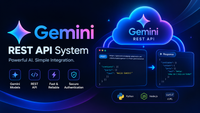
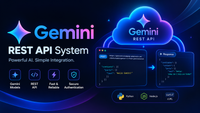
A small Flask application that accepts a prompt, sends it to the Gemini REST API, and displays the answer as regular text or JSON.
## Requirements
- Python 3.10+
- A Gemini API key from [Google AI Studio](https://aistudio.google.com/apikey)
## Run locally
1. Create a local environment file and add your key:
```powershell
Copy-Item .env.example .env
```
Set `GEMINI_API_KEY` in `.env`.
2. Install dependencies and start the app:
```powershell
python -m venv .venv
.\.venv\Scripts\Activate.ps1
python -m pip install -r requirements.txt
python -m flask --app wsgi:application run
```
3. Open <http://127.0.0.1:5000>.
For a production-style local server, use `python -m gunicorn -c gunicorn.conf.py wsgi:application` on systems where Gunicorn is supported. The included `Procfile` uses the same command.
## API
`POST /api/generate` accepts a JSON object:
```json
{
"prompt": "Summarize the water cycle in three sentences.",
"response_format": "text"
}
```
Set `response_format` to `text` or `json`. It defaults to `text`. The JSON option asks Gemini for JSON output and returns the decoded JSON value.
Successful response:
```json
{
"response_format": "text",
"response": "Water evaporates from Earth's surface..."
}
```
Errors return a JSON `error` message and an appropriate HTTP status. `GET /api/health` reports service status and whether a Gemini key is configured.
## Configuration
See [.env.example](./.env.example). `GEMINI_API_KEY` is required and must remain server-side. `GEMINI_MODEL`, `GEMINI_TIMEOUT_SECONDS`, and `GEMINI_MAX_RETRIES` optionally configure Gemini requests. `PORT` and `GUNICORN_TIMEOUT` configure the web server.
## Tests
```powershell
python -m pytest
```
## License
MIT. See [LICENSE](./LICENSE).