ML Audit — SHAP Explainability Module
By (author)Sidhant N
Tech stack:
PY
A plug-and-play Python script for auditing machine learning models using SHAP (SHapley Additive exPlanations). Produces client-ready charts, ranked im...
read more
read more
AI Contributions:1
Published At:April 12, 2026
Files Included:1 file(s)
Updated At:August 11, 2026
Read Me
# ML Audit — SHAP Explainability Module
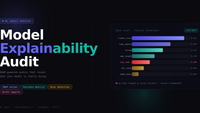
A plug-and-play Python script for auditing machine learning models using SHAP (SHapley Additive exPlanations). Produces client-ready charts, ranked importance tables, and flagged predictions suitable for regulatory or internal audit reports.
---
## What's inside
| Section | What it produces |
|---|---|
| Global importance | Summary plot — which features drive the model across all predictions |
| Local explanation | Waterfall plot — why the model made one specific decision |
| Dependence plot | How one feature's impact changes with its value |
| Importance table | CSV-ready ranked table for the report appendix |
| Suspicious flag | Predictions where unexpected features drove the output |
---
## Requirements
```
Python >= 3.9
shap
xgboost
scikit-learn
matplotlib
pandas
numpy
```
Install everything at once:
```bash
pip install shap xgboost scikit-learn matplotlib pandas numpy
```
---
## Quickstart
```bash
python shap_audit.py
```
Running the script as-is uses a synthetic dataset so you can verify outputs before wiring in a real model. You should see five files written to your working directory:
```
shap_summary.png ← global importance chart
shap_waterfall.png ← single-prediction explanation
shap_dependence.png ← feature interaction plot
shap_importance_table.csv ← ranked feature table
flagged_predictions.csv ← high-risk predictions for review
```
---
## Adapting to your own model
Only section 0 needs to change. Replace the synthetic data block with your own:
```python
# ── 0. Setup — swap this block ────────────────────────────────────────────────
import pandas as pd
from your_project import load_model, load_data
X_test, y_test = load_data("test")
model = load_model("my_model.pkl")
feature_names = X_test.columns.tolist()
```
The explainer automatically handles XGBoost, LightGBM, RandomForest, and most scikit-learn tree ensembles via `TreeExplainer`.
### Using a different model type
| Model type | Explainer to use |
|---|---|
| Tree ensembles (XGBoost, RF, LightGBM) | `shap.TreeExplainer(model)` — default |
| Linear models (LogisticRegression, Ridge) | `shap.LinearExplainer(model, X_train)` |
| Neural networks (PyTorch, TensorFlow) | `shap.DeepExplainer(model, X_background)` |
| Any black-box model | `shap.KernelExplainer(model.predict, X_background)` — slowest |
---
## Flagging suspicious features
Section 6 surfaces predictions where a feature you'd expect to be irrelevant is driving the output — the most audit-critical finding. Edit the `suspicious_features` list to match your context:
```python
flagged = flag_suspicious_predictions(
shap_array,
X_test,
suspicious_features=["zip_code", "surname_initial", "device_type"],
top_n=20,
)
```
Common candidates: zip code (proxy for race), age-adjacent features in credit models, browser/device in HR tools.
---
## Outputs explained
### `shap_summary.png`
Beeswarm plot. Each dot is one test sample. Position on the x-axis = SHAP value (impact on model output). Color = raw feature value (red = high, blue = low). Features are ranked top-to-bottom by mean absolute impact.
**Use in reports as:** "Figure 1 — Global feature importance."
### `shap_waterfall.png`
Waterfall chart for a single prediction. Starts at the model's base rate, then adds/subtracts each feature's contribution to reach the final prediction score.
**Use in reports as:** individual decision justification — e.g. for a disputed loan rejection or flagged hire.
### `shap_dependence.png`
Scatter plot of one feature's SHAP value vs its raw value. Color encodes a second feature chosen automatically based on interaction strength. Reveals non-linear and conditional effects.
**Use in reports as:** evidence of unexpected model behavior, or to explain why a feature has a threshold effect.
### `shap_importance_table.csv`
Clean ranked table: feature name + mean absolute SHAP value. Paste directly into the appendix of your audit report.
### `flagged_predictions.csv`
Test samples ranked by how much the suspicious features contributed to the prediction. The top rows are the cases most deserving manual review.
---
## Pairing with a fairness audit
SHAP explains *what* the model used — a fairness audit checks *whether the outcomes are equitable*. Run both together for a complete engagement:
```python
# After running shap_audit.py, add:
from fairlearn.metrics import MetricFrame, demographic_parity_difference
from sklearn.metrics import accuracy_score
mf = MetricFrame(
metrics=accuracy_score,
y_true=y_test,
y_pred=model.predict(X_test),
sensitive_features=X_test["protected_attribute"],
)
print(mf.by_group)
print("Demographic parity difference:", demographic_parity_difference(
y_test, model.predict(X_test),
sensitive_features=X_test["protected_attribute"]
))
```
---
## Report checklist
Before delivering an audit, verify you can answer yes to all of these:
- [ ] Global summary plot included and legible
- [ ] At least one waterfall plot for a flagged or disputed prediction
- [ ] Feature importance table included in the appendix
- [ ] Suspicious feature scan run and documented
- [ ] Executive summary written in plain language (no SHAP jargon)
- [ ] Remediation recommendations included with priority (High / Medium / Low)
- [ ] Model card completed (training date, data source, intended use, known limitations)
---
.png&w=3840&q=75)